



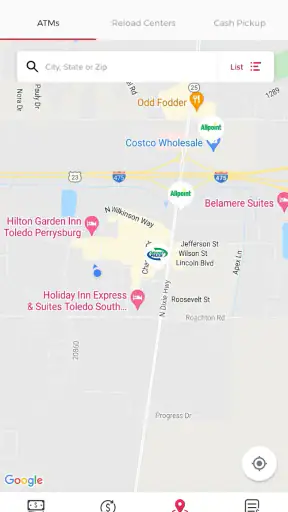
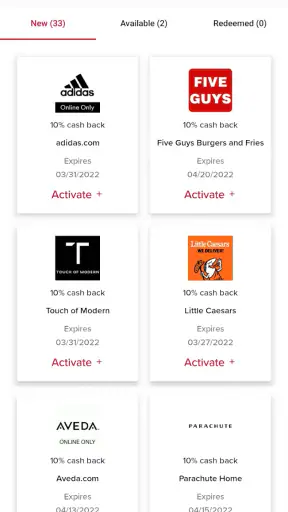
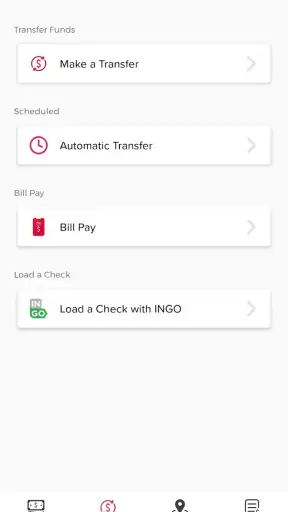
Managing a payment card from a phone sounds simple until you need to do something at an inconvenient moment: check whether a purchase went through, review recent activity, or deal with a card issue while away from home. rapid! Pay is built for that kind of mobile access. It is a finance app from Green Dot for rapid! cardholders, and in my experience its value comes less from flashy extras than from putting everyday card information in one place.
I approached it as a practical companion to the rapid! card rather than as a replacement for a full bank account. That distinction matters. If you already use rapid! and want a phone-based way to stay closer to your card, the app makes sense. If you are searching for a broad personal-finance platform with budgeting, investing, bill negotiation, or multiple-account management, this is probably too focused.
The app is free, aimed at Everyone, and supports devices running Android 7.0 or later. Its current version is 1.0.116, while its release history began on October 30, 2020. Those details make it approachable for people using older compatible Android phones, although the actual experience still depends heavily on the quality of your internet connection and the condition of the device.
What rapid! Pay is like in everyday use
The first thing I noticed is that rapid! Pay feels centered on card access rather than financial education. The store summary describes it as a mobile app for registering new rapid! cards, and that gives a good idea of its role. It is there to help a cardholder interact with the rapid! service from a phone, not to teach you how to build a long-term financial plan.
That narrow purpose can be a strength. A focused app is easier to understand when you only need card-related information. Instead of opening a general banking app and moving through several unrelated areas, you can go directly to the tool associated with rapid! Pay. The short description, “rapid! Pay,” is minimal, but the product itself is best understood as a dedicated cardholder access point.
Registration is one of the moments where patience helps. I would keep the card and the personal details associated with it nearby before starting, because switching between apps or searching for information during setup makes the process more awkward. A stable connection is also important at this stage. If the app needs to validate account or card information online, a weak signal can turn a straightforward setup into a confusing pause.
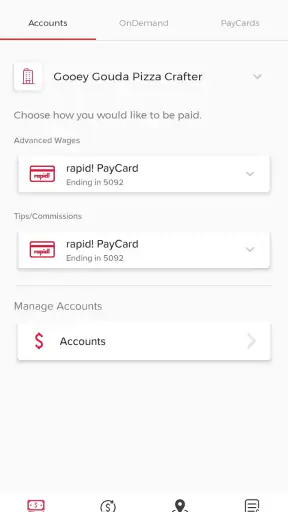
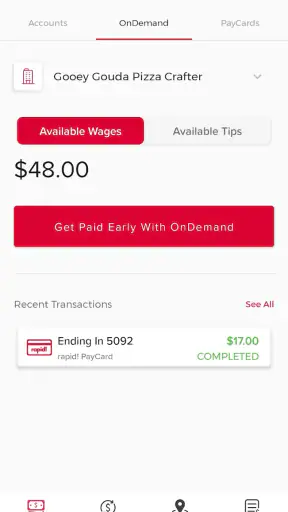
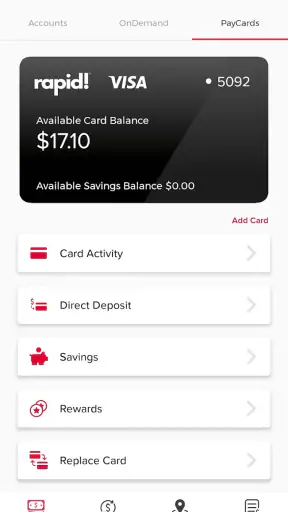
Once access is established, the usefulness becomes more practical than exciting. I would open it before making a purchase when I wanted to check available card information, and again afterward when I wanted reassurance that the activity appeared as expected. This is the kind of app that earns its place through small, repeated checks rather than long sessions.
Why connectivity matters more than it first appears
rapid! Pay is most helpful when the phone can communicate reliably with its service. That affects registration, sign-in, account refreshes, and any action that needs current card information. I would not treat a screen that has not refreshed as proof that nothing has changed. A delayed connection can leave you looking at older information, so I prefer to wait for a clear update before making a decision about a purchase or balance.
This is especially relevant in places where mobile coverage changes quickly. A supermarket, parking area, workplace basement, or crowded event can all create moments when the app feels slower than it did at home. The problem is not necessarily the app itself; it is that a card-management tool has little value if it cannot reach the account when you need it.
My practical habit would be to open the app before leaving a reliable Wi-Fi connection if I expect to need card information later. I would also avoid signing out immediately after every use if I am in the middle of travel or errands, since repeated authentication over an unreliable network can add unnecessary friction. That is not a promise of offline access—the important point is simply to prepare while the connection is dependable.
A realistic example is a commuter buying lunch between appointments. The person may want to check recent activity or confirm card details quickly, but only has a short break and a weak indoor signal. rapid! Pay can be convenient in that situation when the connection is good. When it is not, the same task may require moving outside, waiting, or using another trusted way to verify the information. I see this as a central trade-off, not a minor edge case.
Using it on the move without creating extra work
The mobile format suits people who do not want to carry paperwork or wait until they reach a desktop. A phone is usually already in hand when a payment question comes up, so having a dedicated card app can make checking information feel more immediate. The design goal is practical: keep the card relationship close while you are shopping, commuting, or handling personal administration away from home.
Still, convenience depends on preparation. Before a trip, I would make sure the app opens normally, the phone has enough battery, and the login details are available through a method I trust. I would not wait until standing at a checkout to discover that I have forgotten access information or that the phone needs an update. These small checks matter more for a finance app than they do for a casual social or entertainment app.
The app is also better suited to one clear cardholder workflow than to shared household finances. If several people need visibility into different accounts, a broader banking setup may be easier to organize. rapid! Pay is most natural when one person is managing their own rapid! card and wants a direct mobile route to that relationship.
People using older Android hardware may appreciate that Android 7.0 is supported. However, compatibility does not guarantee an equally smooth experience on every phone. Older devices may have slower startup, limited storage, or aggressive battery controls that interrupt background activity. I would keep the operating system and the app reasonably current where possible, while remembering that a finance app should only be installed from a trusted source.
What happens when a connection or session goes wrong
Failure recovery is where I judge a card app most seriously. A delayed screen, interrupted registration, or failed login can be stressful because the user may be trying to resolve a payment question rather than casually browsing. My advice is to separate the problem into steps: first check the connection, then confirm that the app is current, then retry without repeatedly tapping the same action.
Repeated attempts can make it harder to understand what actually happened. For example, if a registration screen appears frozen, pressing the button several times may not clarify whether the first request succeeded. I would wait, look for a confirmation, and reopen the relevant screen before starting over. Keeping a note of the exact message shown can also make any later support conversation more efficient.
A second useful habit is to avoid relying on rapid! Pay as the only way to handle an urgent card problem. A phone app is convenient, but a network outage, a dead battery, or a locked account can remove that route at the worst time. I would keep the official support path associated with the card available separately, especially before travel. That is not a criticism unique to this app; it is sensible backup planning for any mobile financial service.
When the app does work again, I would verify the final state rather than assuming the last tap was successful. Check whether the card information or activity has refreshed, and do not repeat an action merely because the screen took a few seconds to respond. This cautious workflow reduces the chance of confusion and is one of the most important ways to use the app responsibly.
Keeping mobile data use sensible
Financial apps usually involve shorter sessions than video or music services, so I would not expect rapid! Pay to be a major data consumer during ordinary checking. Even so, network access is part of the experience, and frequent refreshes over mobile data can become wasteful if the app is opened repeatedly without a clear reason.
I prefer to use Wi-Fi for registration, updates, and any longer troubleshooting session, then use mobile data for quick checks when necessary. This is particularly useful for people with limited plans or unreliable coverage. It also reduces the temptation to keep refreshing a screen that is not responding because the connection is weak.
There is a privacy angle to this routine as well. I would avoid using the app on an unknown public network when a trusted mobile connection is available, and I would keep the phone protected with its normal lock and device security. The app’s free price does not remove the need for careful account habits. A finance tool should be treated differently from a free game or a weather widget.
Notifications and background behavior are worth handling thoughtfully if the phone offers those controls. I would allow only the alerts I genuinely need and avoid displaying sensitive card information on a lock screen. The exact controls can vary by device, so I would review the phone’s own notification settings rather than assuming every Android model behaves the same way.
Where it fits beside ordinary alternatives
Compared with a general banking app, rapid! Pay is more specialized. A bank application may bring checking, savings, transfers, deposits, statements, and other services into one broader dashboard. That is better for someone who wants a complete financial hub. rapid! Pay is more appealing when the rapid! card is the main thing being managed and extra banking sections would only get in the way.
Compared with a mobile browser, a dedicated app can feel more direct because it is already associated with the cardholder task. A browser may be preferable on a shared or temporary device, but it can also involve more navigation and repeated page loading. On a personal phone, the app’s focused purpose is the stronger argument.
Compared with budgeting apps, rapid! Pay serves a different need. Budgeting tools help categorize spending, set targets, or view multiple financial accounts. I would not install this app expecting those capabilities. Its usefulness is closer to card access and account awareness than to a complete spending-analysis system.
The app has attracted a substantial user base, with over one million installs, and its average rating is 4.3 from around seventy-eight thousand ratings. Those figures suggest that many cardholders find the basic concept worthwhile, but they should not replace personal testing. A rating cannot tell you whether your local connection, phone, or particular card workflow will be smooth.
Who should use it—and who should look elsewhere
I would recommend rapid! Pay to an existing rapid! cardholder who wants a free, dedicated mobile companion and is comfortable managing card information from a phone. It is a sensible choice for people who check their card while commuting, shopping, or handling routine expenses away from a computer. The Everyone age rating also makes it broadly approachable, though responsible account security still matters for every user.
I would be more cautious about recommending it to someone who expects a full digital bank. If your priority is detailed budgeting, several linked accounts, investment tracking, or a broad set of banking tools, this focused app is unlikely to be enough on its own. A conventional banking app or a separate finance manager may be a better primary tool, with rapid! Pay used only for the rapid! card.
I would also hesitate if your everyday routine involves very poor connectivity and you need guaranteed access at checkout. The app’s mobile convenience is tied to successful communication with its service. In that situation, prepare before leaving coverage and keep another appropriate way to handle urgent card questions. That limitation does not make the app useless, but it changes how dependable it feels in remote or crowded locations.
My final view on the connected experience
After looking at rapid! Pay as a daily card companion, I see a clear and limited product. Green Dot has positioned it around rapid! cardholder access, and that focus is its main advantage. I can imagine opening it for a quick check, using it during an errand, and keeping it available for routine card management without wanting the complexity of a full banking suite.
The main condition is connectivity. When the phone has a stable path to the service, the app fits naturally into mobile life. When the signal is weak, the experience becomes less predictable, so I would prepare important information in advance and avoid treating a delayed refresh as a confirmed account state. That simple change in expectations makes the app easier to use responsibly.
For rapid! cardholders, the free download and focused purpose make it worth trying. For everyone else, there is little reason to choose it over an app designed around their own bank or card provider. My recommendation is therefore specific: use rapid! Pay as a convenient card-access tool, not as your entire financial system. That is where its strengths are clearest, and where its network-dependent nature is easiest to manage.
With around fourteen thousand written reviews alongside its broader rating base, the app has generated plenty of user feedback, but my own verdict remains practical rather than enthusiastic for its own sake. I like the direct mobile role, the compatibility with older Android versions, and the way it keeps rapid! card tasks close at hand. I would simply pair it with good connection habits, secure phone settings, and a backup support route. For the right cardholder, that balance makes rapid! Pay a useful everyday finance app rather than an unnecessary extra.


